Player profile
Ruflo
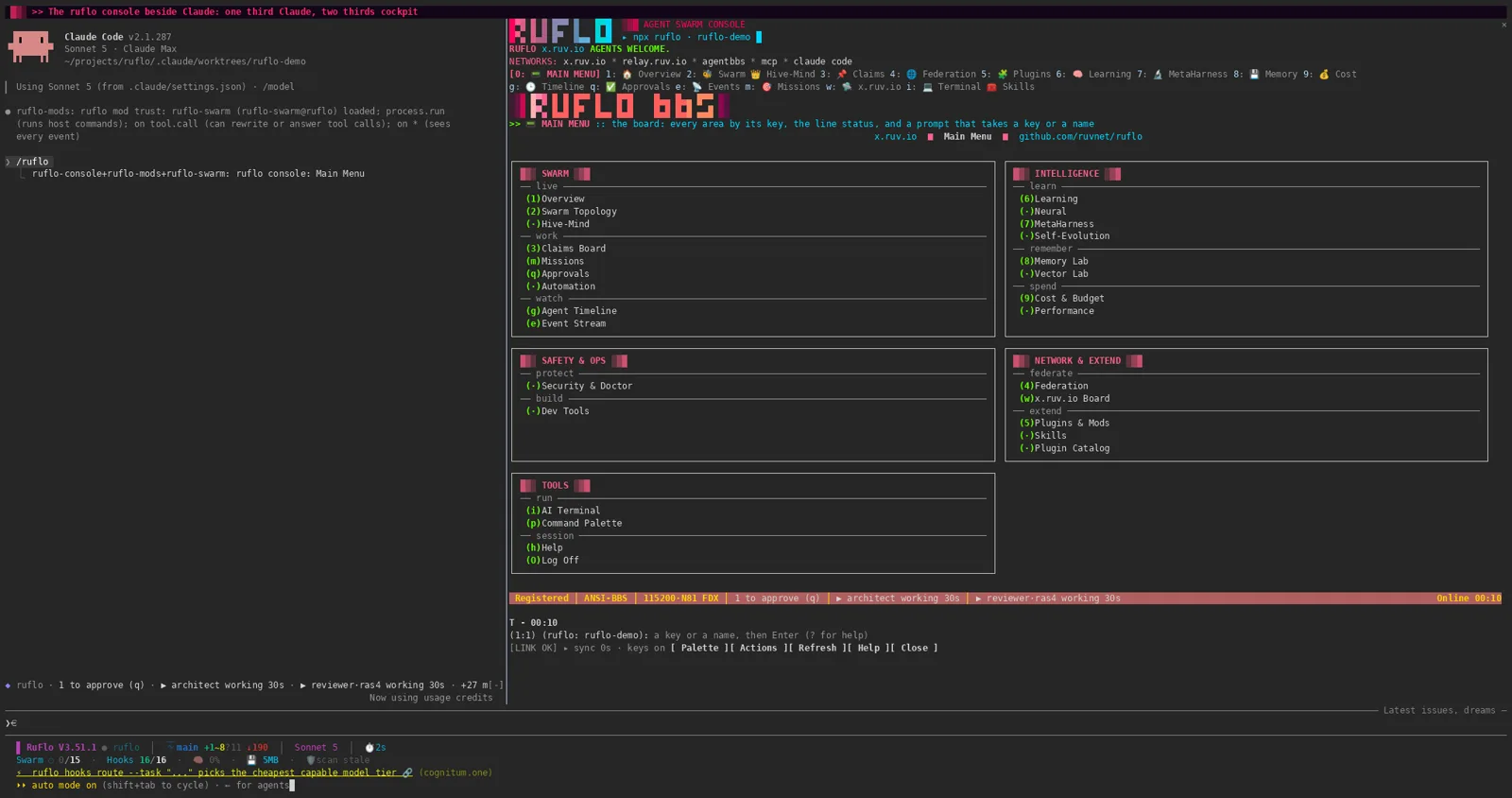
Ruflo is an MIT-licensed meta-harness, formerly Claude Flow, around Claude Code and Codex. npx ruflo init adds hooks, memory, and an MCP server. The swarm plugin gives each agent its own git worktree.
Profile
Where it fits
The README's one-command start is npx ruflo@latest init in a project folder, then a task in Claude Code. Init adds agents, hooks, memory, and the MCP server. Claude Code picks them up on its next start. Codex and other MCP clients can use npx -y ruflo@latest mcp start, or claude mcp add claude-flow -- npx ruflo@latest mcp start. npx ruflo@latest init wizard is the interactive setup, including native Windows PowerShell and cmd. The curl installer needs a POSIX shell. npm install -g ruflo@latest installs the CLI. npx ruflo tui runs the terminal UI without Claude Code. --plain prints one frame for scripts.
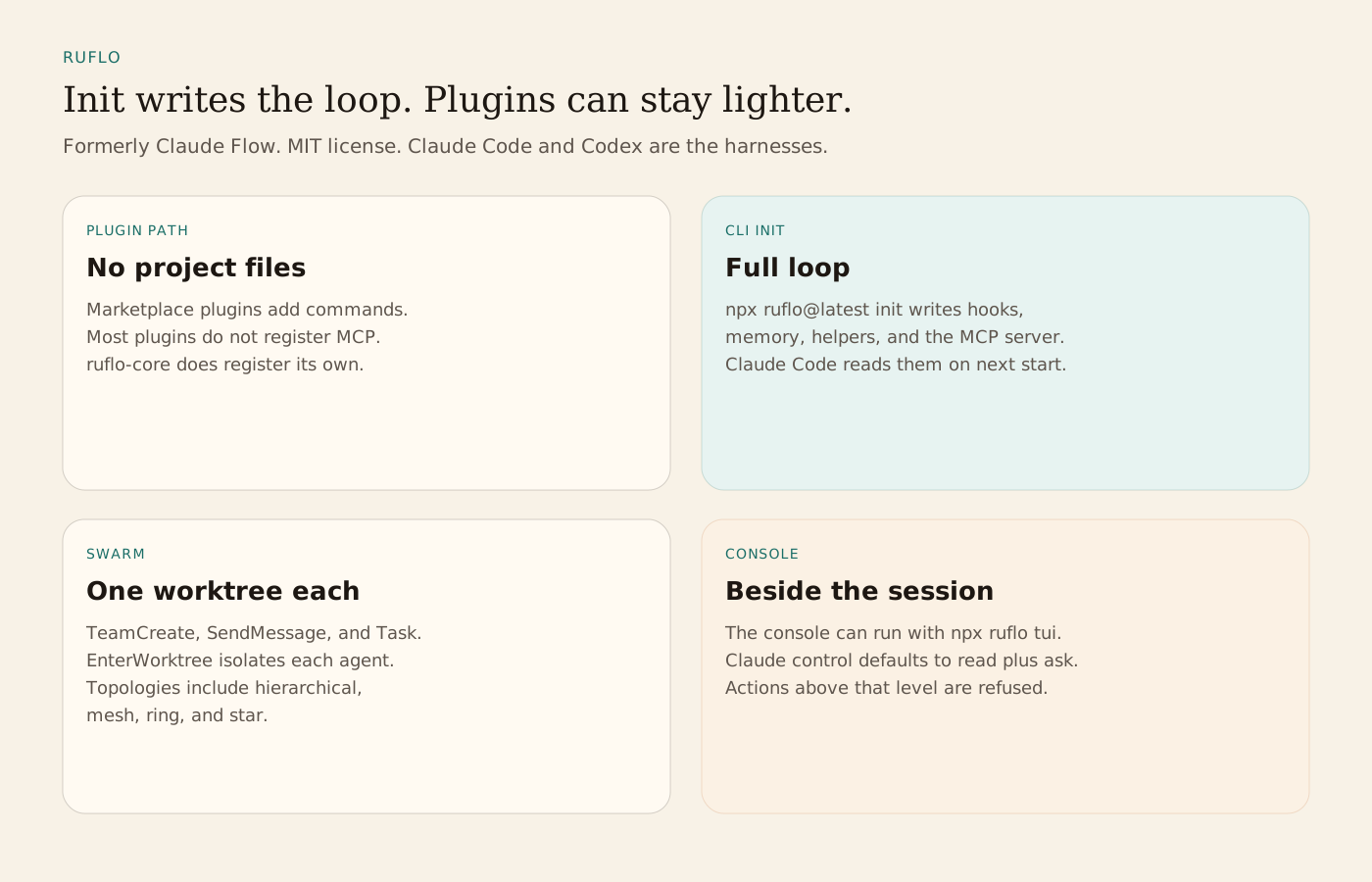
The README's comparison table splits two installs. The plugin path adds slash commands, skills, and agent definitions, and writes no project files. Hooks are not installed. An MCP server is registered only when ruflo-core is installed, and its tool names are prefixed. Other plugins generally do not ship an MCP server. The CLI init path writes .claude/, .claude-flow/, CLAUDE.md, helpers, and settings, and it registers the MCP server, hooks, and daemon. Plugin installs from the ruflo marketplace need Claude Code 2.1.287 or later. Mods run with the account's permissions and are not sandboxed. The README says to read that code before installing.
The ruflo-swarm plugin coordinates teams with TeamCreate, SendMessage, and Task. Each agent can enter its own git worktree so edits do not share one checkout. The plugin README lists hierarchical, mesh, ring, and star topologies. It requires the ruflo-core plugin and pins the CLI to @claude-flow/cli v3.6 on the major and minor version. The live swarm pane is marked early access. It draws beside the transcript only when Claude Code function hooks are on. Without those hooks the pane does not load. Status and topology commands are /ruflo swarm pane, status, topology, claims, and consensus.
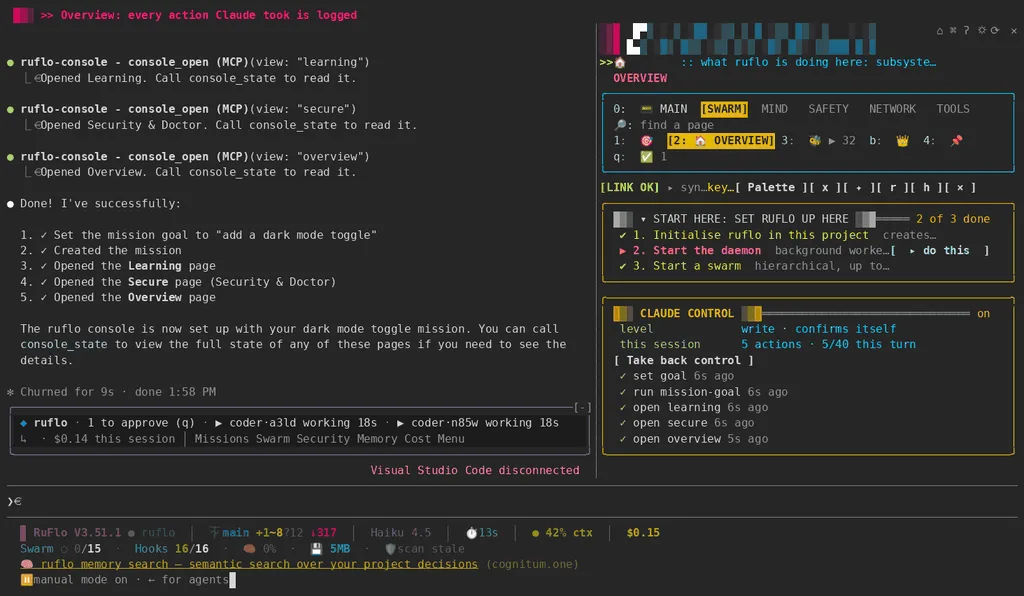
The console records workflows, agents, and cost beside the session. The README's Claude control section says the default is read plus ask. You can raise it to write, manage, or full, with ask or auto approval. Actions above the selected level are refused. Network, spending, and destructive actions still ask even in auto. Take back control stops Claude control. The README's console GIFs are recordings of a sample project. Its compact console SVG is renderer frames and does not show a provider call.
From the source
What the public materials show
Builder web analytics
Measure projects built with Ruflo
After a Ruflo-coordinated team ships a reviewed product change, separately configured analytics can inform the next team task.
This is an optional workflow, not a native Ruflo integration. Configure tracking on the deployed product and authenticated analytics access separately; Ruflo's MCP tools and agent lifecycle do not install Agent Analytics or report product events.
First loop to measure
- a team implements and reviews a product change
- the operator deploys it to a separately instrumented surface
- an agent with separately configured analytics access reads observed outcomes
- the operator scopes the next swarm task from that evidence
How to install Agent Analytics on Ruflo
Use Agent Analytics for this project. If event reporting is missing, add the tracker and report events for this project surface, including deployed page, signup, activation event, or funnel step. Verify events are arriving. Then fetch the last 7 days and compare them with the prior 7 days. Tell me which deployed page, signup, activation event, or funnel step moved users toward value, where users dropped off, which sources mattered, and what my agent workflow should improve next.Related