Player profile
OpenHuman
OpenHuman is a GPL-3.0 Rust desktop app, still marked early beta, that runs agents with local or bring-your-own-key models, memory, skills, and messaging channels.
Profile
Where it fits
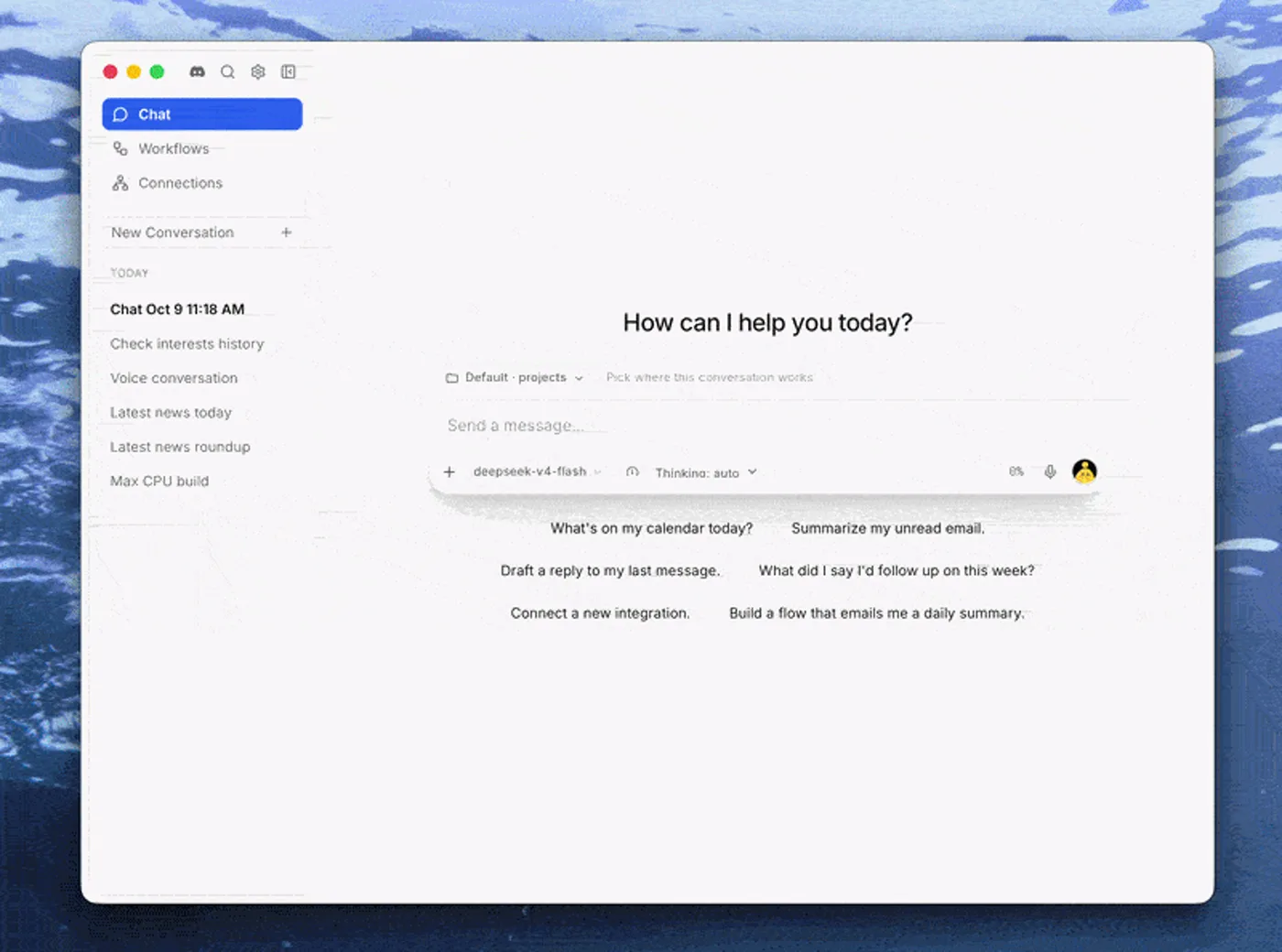
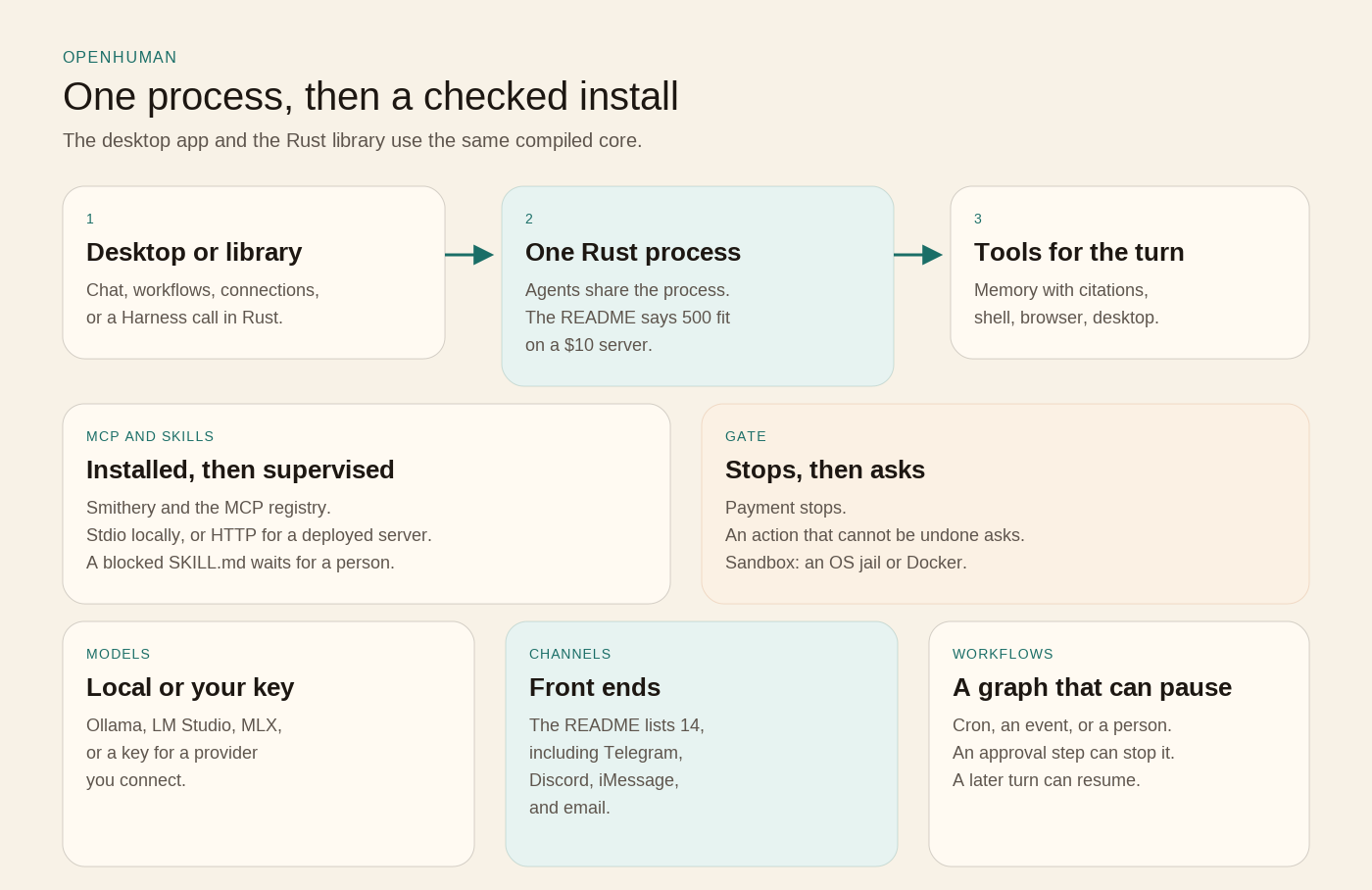
Installers are a macOS disk image, a Windows msi or exe, and a Linux deb or AppImage. The repository also has scripts/install.sh, which checks a checksum, and install.ps1. The desktop demo shows a sidebar for Chat, Workflows, and Connections, plus a model picker. Native tools named in the README include shell and coder, a scraper, documents, image and video, and cron. The browser and desktop tools use a real Chrome. The docs say the browser stops before payment and asks before an action it cannot undo. Memory is loaded before each turn, inside a token budget, with citations, and the engine can be swapped. Local models go through Ollama, LM Studio, or MLX. The README also lists bring-your-own-key providers and automatic routing. Messaging channels in the README include Telegram, Discord, iMessage, and email. A table lists 119 OAuth apps through Composio, with triggers that can start the agent.
The MCP and skills docs describe a built-in registry that searches Smithery.ai and the official MCP registry. A server can be installed as local stdio or as HTTP when it is already deployed. Clients are stored in SQLite at mcp_clients/mcp_clients.db, and a supervisor probes them about every 60 seconds. The openhuman-core mcp command also exposes OpenHuman itself as a server, with memory tools and optional web search. Skills come from catalogs named HermesHub, ClawHub, and LobeHub. A skill is an HTTPS SKILL.md file, it is security scanned, and a blocked skill stays uninstalled until a person chooses Install anyway. The registry is how the agent installs an external MCP server.
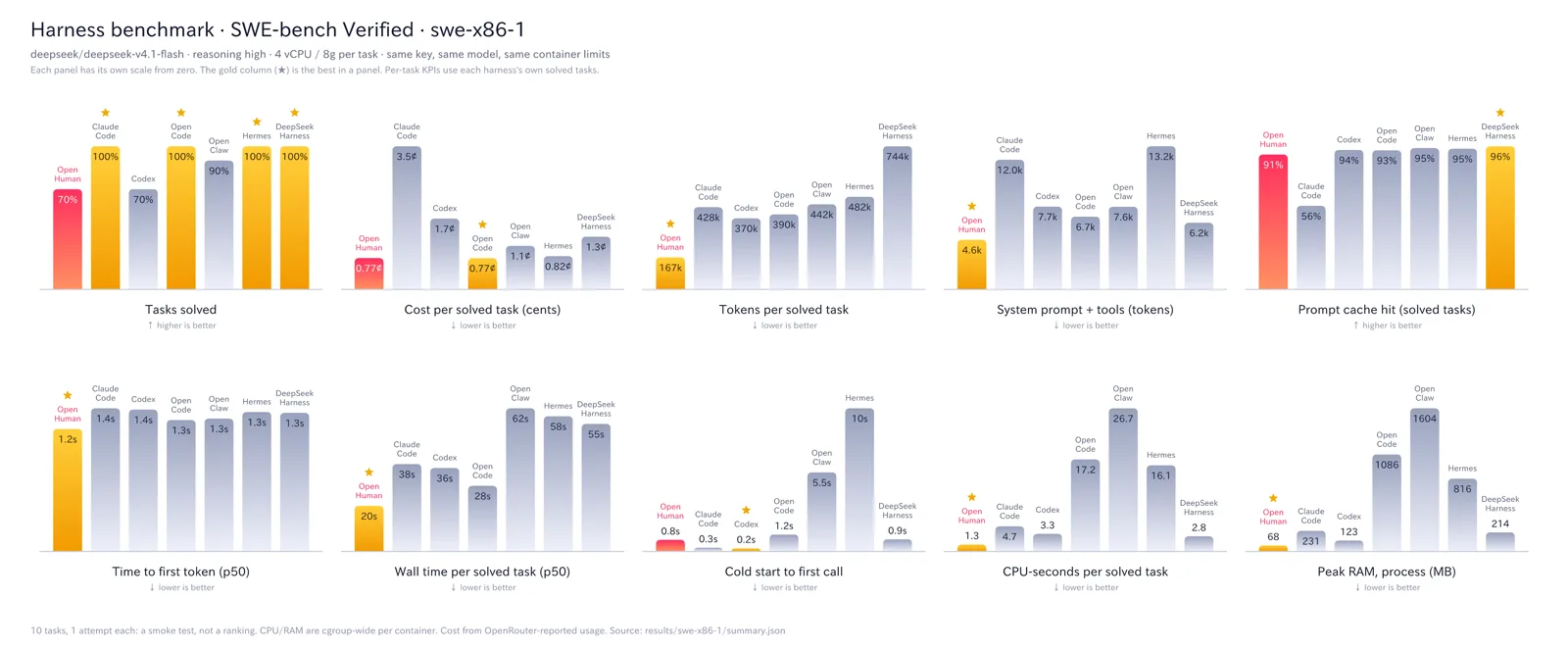
Workflows run on a cron, an event, or a manual start, and they can include an approval step and resume after a pause. Safety notes in the docs name an approval gate, an OS jail or Docker, Privacy Mode, and the OS keyring. The README says one process can hold more than 500 agents on a $10 VPS. That is the project's claim about its own process model. Jev, described in the README as a small model over 1,215 tools, has the right tool in its top picks 86.8 percent of the time, against 70.5 percent for keyword search, in the project's own comparison. On the project's swe-x86-1 run of ten SWE-bench tasks, the README reports a median of 19.8 seconds, 167k tokens, and a 68 MB peak. Those figures are that published run.
From the source
What the public materials show
Builder web analytics
Measure outcomes from OpenHuman-run agent work
OpenHuman runs agents in one local process with skills and MCP servers. Separately configured product analytics can show the observed user-facing results of a change a person ships after that work.
This is an optional measurement workflow, not a native OpenHuman integration with Agent Analytics. Configure product tracking and authorized analytics access separately; the listing does not install tracking or report OpenHuman agent activity.
First loop to measure
- OpenHuman prepares a change and a person reviews it before it ships
- the reviewed change is deployed to a separately instrumented project
- a human or an authorized agent reads observed product outcomes
- the team uses that evidence to choose the next task
How to install Agent Analytics on OpenHuman
If product tracking and analytics access are already configured, inspect the deployed change over an appropriate observation window. Report measured outcomes, missing evidence and limitations. Do not infer causation from before-and-after movement or treat OpenHuman agent activity as product usage.Related