
Player profile
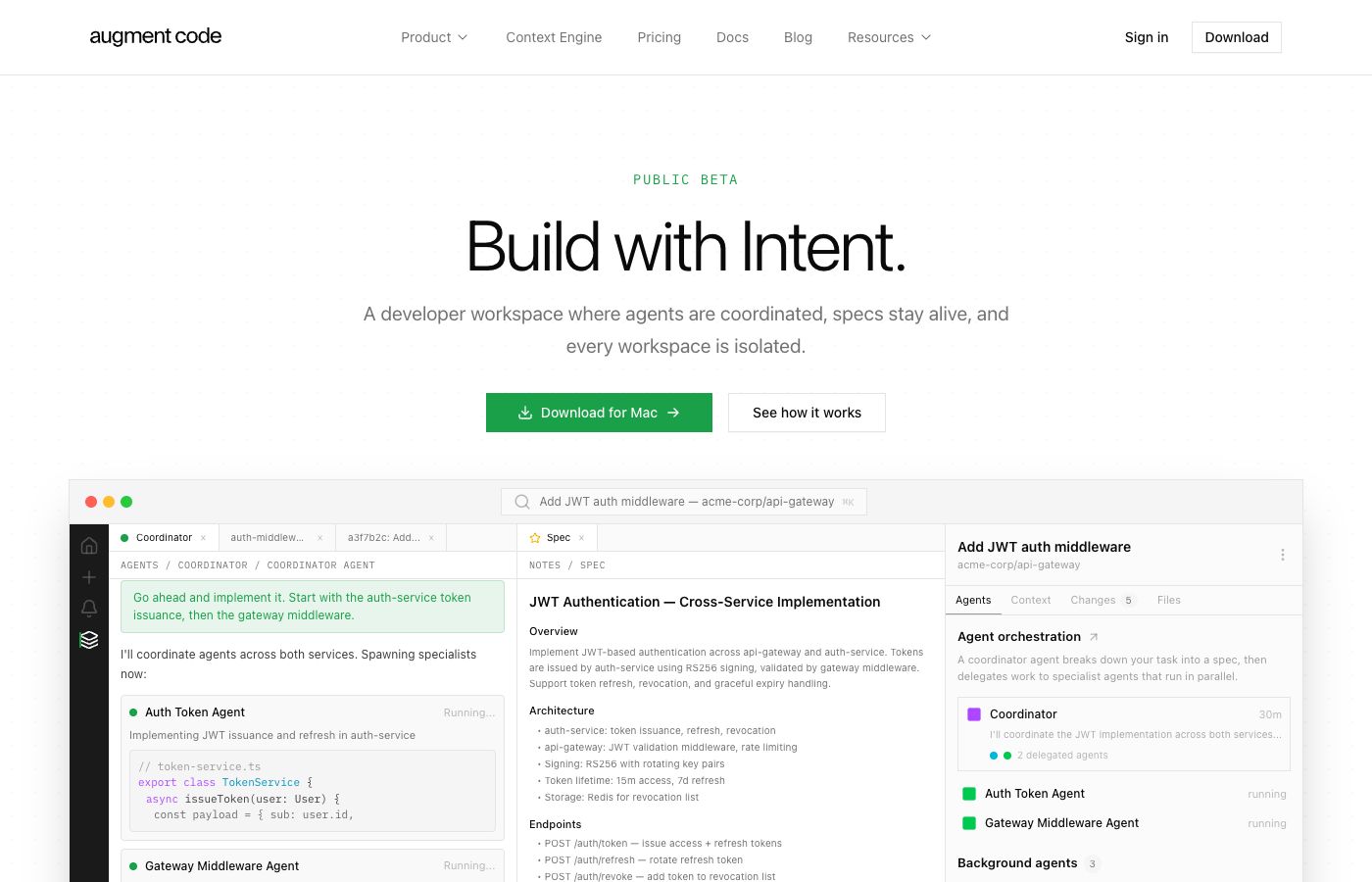
Augment Code Intent
Augment's answer to what comes after the IDE: agent orchestration, isolated workspaces, and living specs in one developer workspace.
Profile
Where it fits
Augment Code describes Intent as what comes after the IDE: a developer workspace for agent orchestration, isolated git-worktree-backed workspaces, and living specs.
Its core workflow is coordinator, implementors, and verifier. The coordinator turns a task into a spec, implementors execute in waves, and the verifier checks the result against the spec before the developer reviews the work.
Intent also brings code, browser previews, terminal, git operations, model choice, Augment Context Engine, and BYOA support for Claude Code, Codex, and OpenCode into the same workspace.
Builder web analytics
Use Agent Analytics as an Augment Skill
The clean Agent Analytics integration for Augment is the skill path. Install the Agent Analytics skill through the skills.sh workflow, then Augment can load it from the standard agent-skills locations, report site events, and fetch growth analytics from the same agent loop.
This fits Augment's Skills model: skills are modular packages of domain knowledge, workflows, tool guidance, and resources. For Agent Analytics, the skill teaches the agent how to set up event reporting and read the shipped surface results without making the developer leave Augment for a dashboard-first workflow.
First loop to measure
- install the Agent Analytics skill with `npx skills add agent-analytics/skills`
- Augment discovers the skill from `.agents/skills/`, `.augment/skills/`, or another supported skills location
- the skill guides login, project creation, tracker install, event reporting, event verification, and analytics queries through the official Agent Analytics CLI
- Intent keeps the spec, agents, code, terminal, browser, and git workflow together while the agent reads visitors, sources, signup, activation, retention, conversion, and growth from Agent Analytics
Copyable prompt
Install the Agent Analytics skill with `npx skills add agent-analytics/skills`. Then set up Agent Analytics for this project. If approval is needed, send me the approval link and wait. After approval, create the project, add event reporting, verify the first event arrives, fetch the last 7 days, and explain visits, sources, signup, activation, retention, conversion, and growth for the shipped surface.Related