Player profile
Ordewell
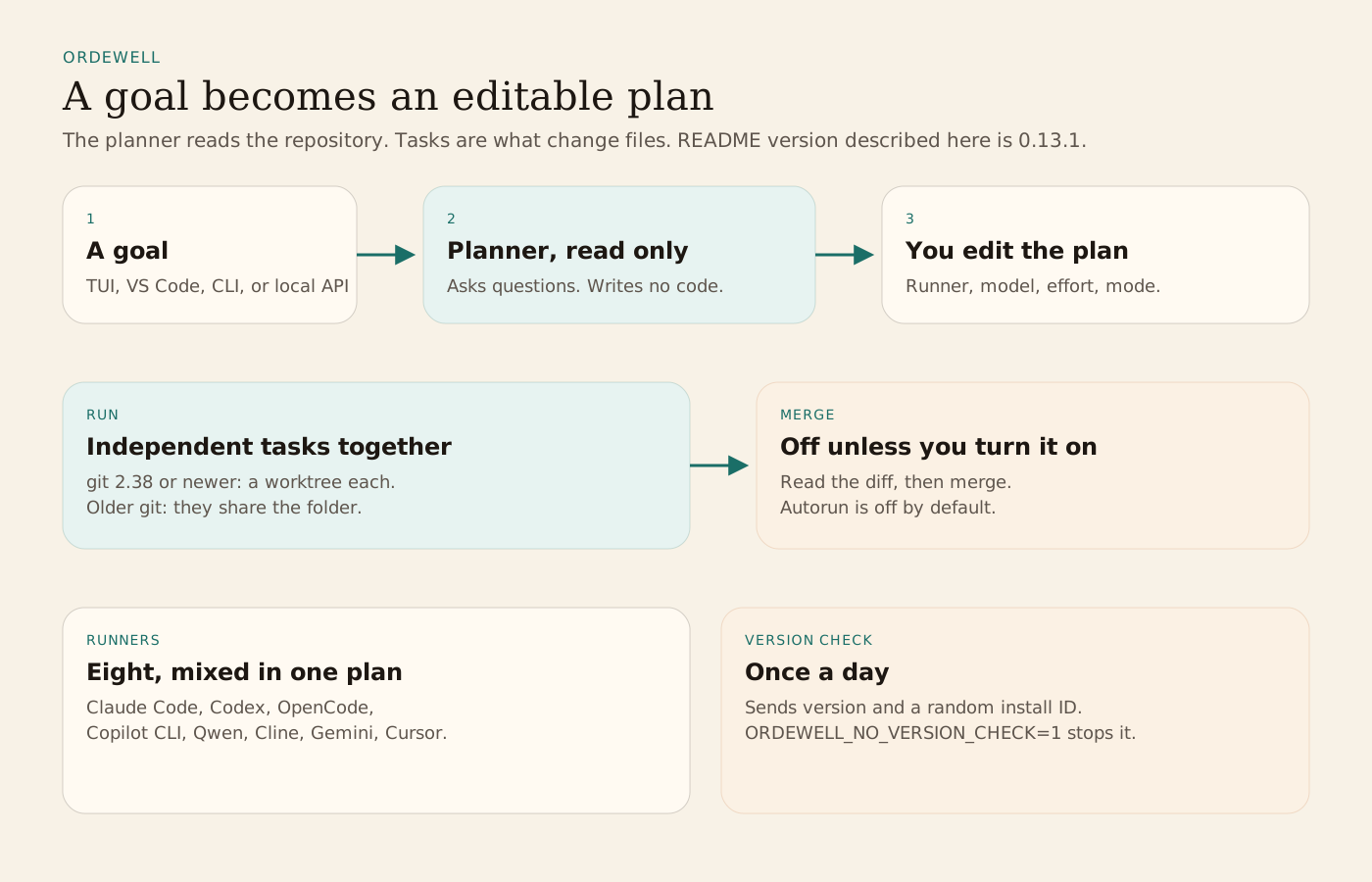
An Apache-2.0 terminal UI and CLI, at README version 0.13.1, that turns a goal into an editable plan and runs each task on the coding agent you assign, in its own git worktree when git is new enough.
Profile
Where it fits
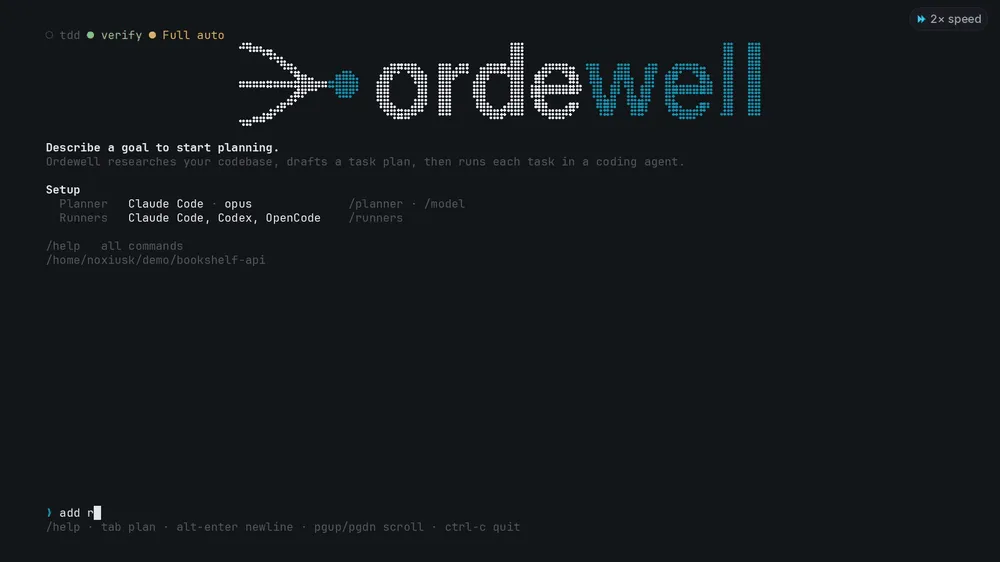
Linux and macOS install with the script at ordewell.ai/install.sh, or with brew install ordewell/tap/ordewell. Windows and Alpine use npm install -g ordewell, which needs Node.js 20.3 or newer. ordewell update follows the install you have. The VS Code extension is on the Marketplace, and Open VSX covers Cursor, Windsurf, and VSCodium. You need a supported agent installed and signed in. The README lists Claude Code, Codex, OpenCode, GitHub Copilot CLI, Qwen Code, Cline, Gemini CLI, and Cursor, mixed in one plan. git 2.38 or newer puts each code task in its own worktree. Without that, tasks run in the folder you opened. The README says this is 0.13.1, the project is pre-1.0, and a minor release can break things.
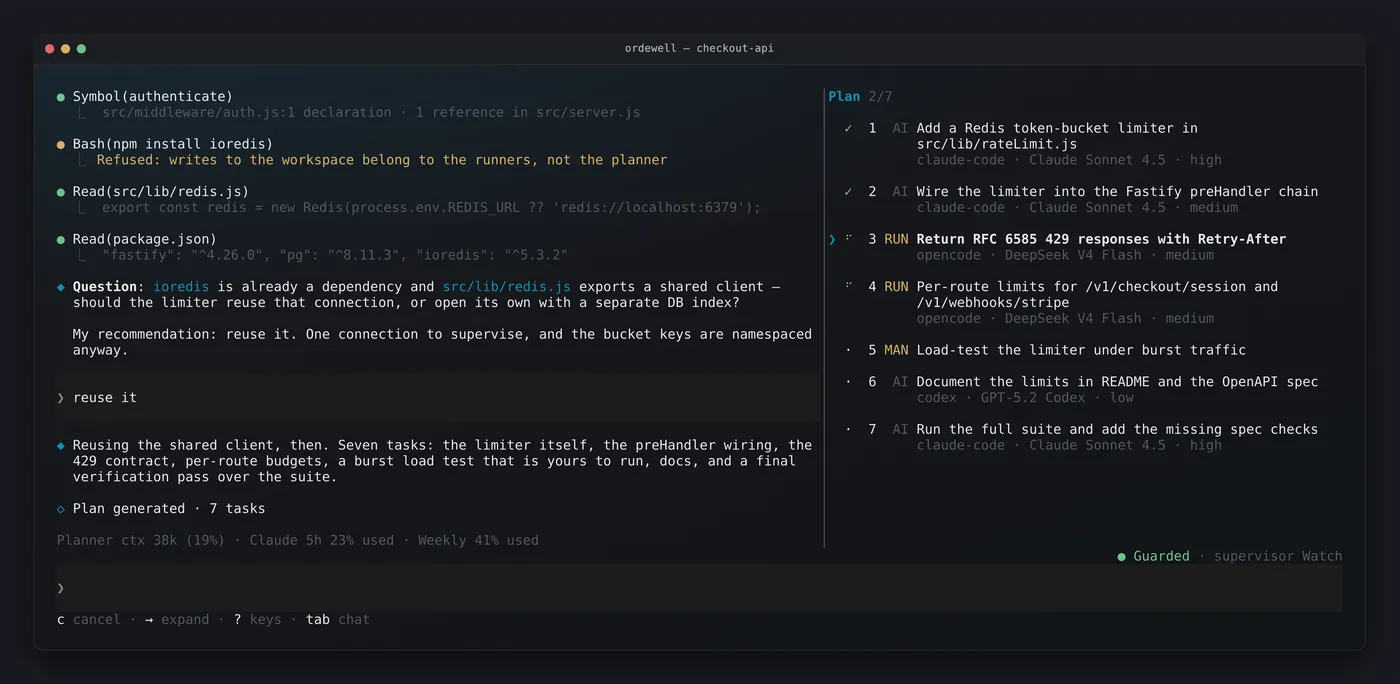
You type a goal in the terminal UI, the VS Code panel, the CLI, or the local API. The planner explores the workspace without modifying it and can ask questions. It returns tasks with dependencies, and each task has a runner, a model, a mode, and an effort. You can edit, retarget, reorder, or remove tasks before a build plan runs. Research tasks can start during planning without that approval. Script tasks can run with consent under your approval and the run settings. Independent tasks run at the same time. A task waits when it depends on another. Check-and-fix loops repeat until the check passes or the round limit hits. Repository skills can be attached to tasks across runners. The planner can be one of the supported coding agents, with no extra API key, or an API provider.
When the run finishes you read the diff and the test evidence, then merge into your branch or discard the run. Turning on autorun or automatic merging is a setting, not the default. Tasks run as you, in the mode the plan assigns. The README points at SECURITY.md for what the planner and each runner can touch. Some files can still be shared between worktrees. If an agent hits its account limit, the task pauses. You can resume later or move the unfinished work to another agent. If you allow it, the supervisor can act inside limits you set.
Once a day, after a one-time notice, Ordewell sends its version and a random install ID to ordewell.ai, and nothing else. If a newer release exists, the terminal UI says so on every start. ordewell update and /update send nothing to ordewell.ai. ORDEWELL_NO_VERSION_CHECK=1 or DO_NOT_TRACK=1 turns the check off, and so does turning off VS Code telemetry for the extension. The license is Apache-2.0. The Ordewell name and logos are excluded. See NOTICE.
From the source
What the public materials show
Builder web analytics
Measure outcomes from Ordewell-run agent work
Ordewell turns a goal into tasks and runs each one on the coding agent assigned in the plan. Separately configured product analytics can show the observed user-facing results of a change those tasks helped prepare.
This is an optional measurement workflow, not a native Ordewell integration with Agent Analytics. Configure product tracking and authorized analytics access separately; the listing does not install tracking or report Ordewell task activity.
First loop to measure
- a person approves a plan, tasks run on the assigned agents, and the person merges or discards the run
- the reviewed change is deployed to a separately instrumented project
- a human or an authorized agent reads observed product outcomes
- the team uses that evidence to choose the next task
How to install Agent Analytics on Ordewell
If product tracking and analytics access are already configured, inspect the deployed change over an appropriate observation window. Report measured outcomes, missing evidence and limitations. Do not infer causation from before-and-after movement or treat Ordewell task activity as product usage.