Player profile
OpenRig
OpenRig is Apache-2.0 software that runs Claude Code and Codex as a team declared in a YAML RigSpec. A local daemon, CLI, terminal UI, and MCP server manage the seats in tmux.
Profile
Where it fits
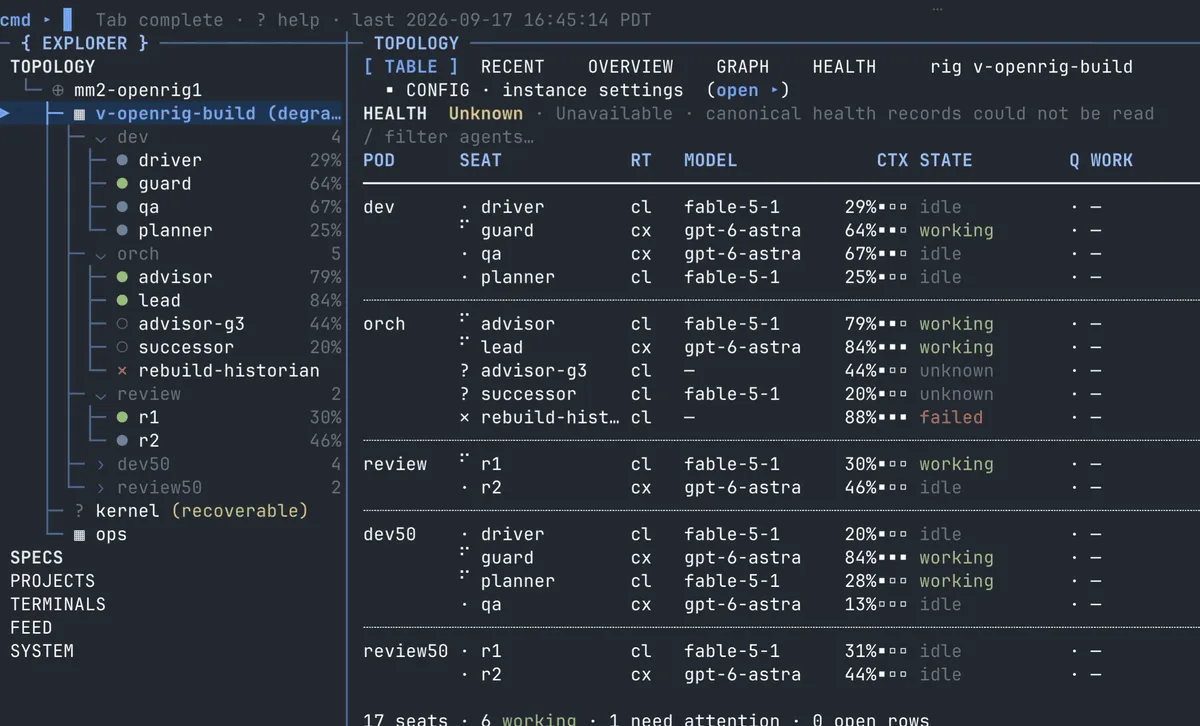
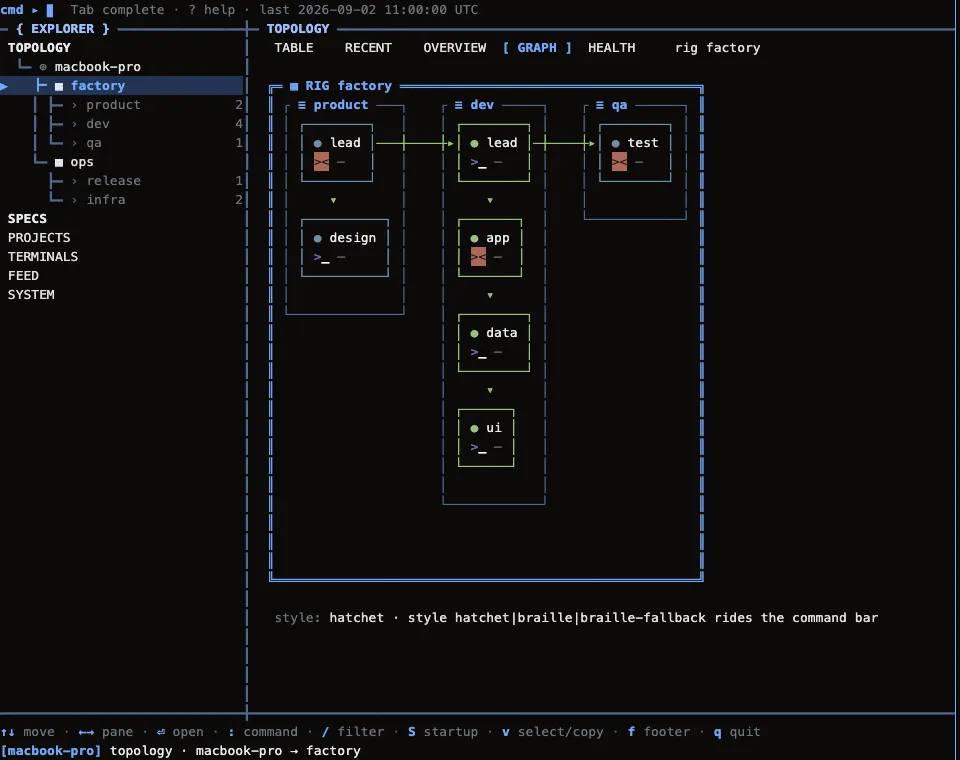
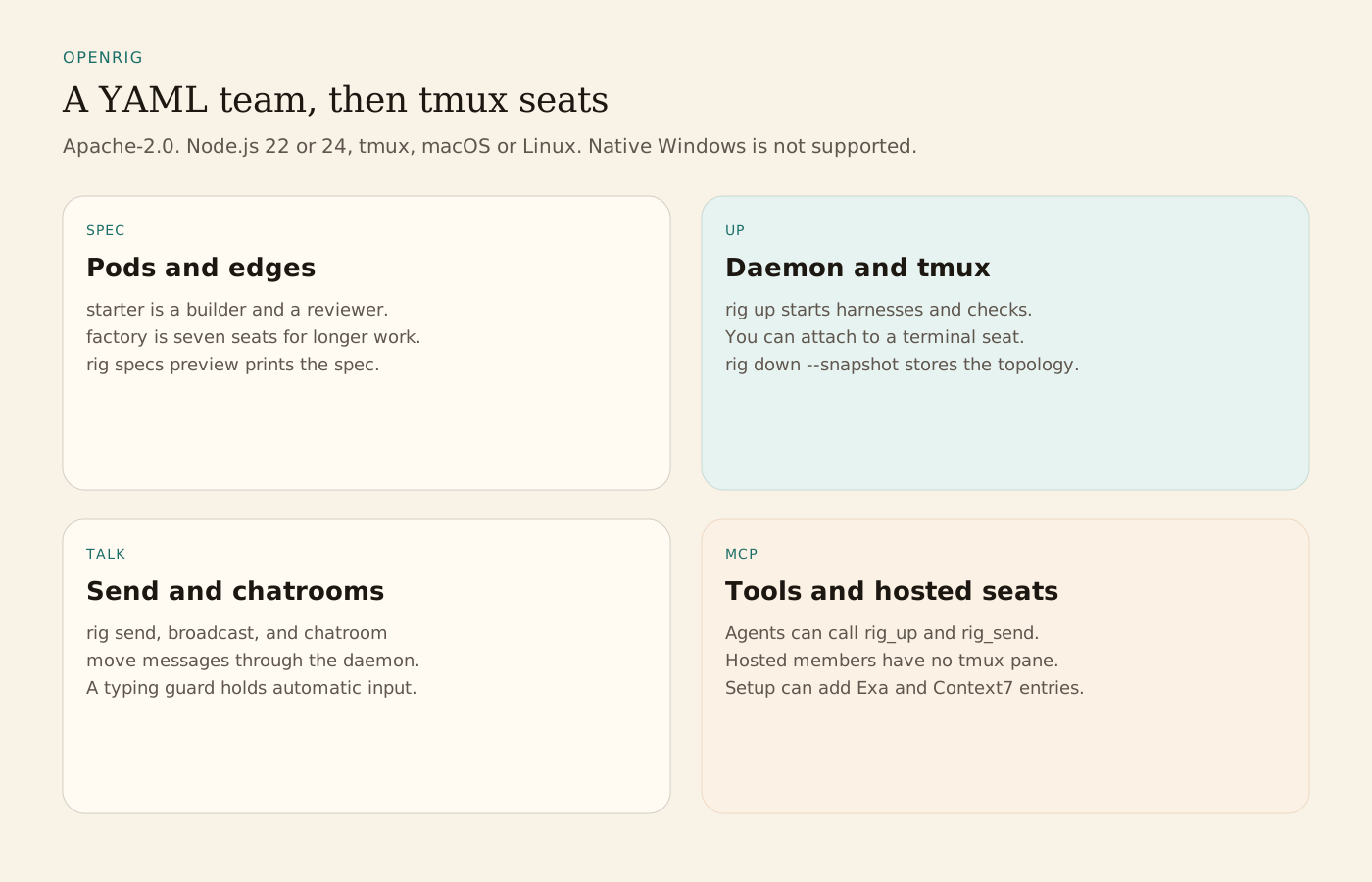
A RigSpec names pods, members, edges, and continuity. rig up starts the tmux sessions, harnesses, startup files, and readiness checks. The TUI shows rigs, pods, and seats as a table or a graph. rig send, rig broadcast, and rig chatroom pass messages through the daemon. rig down --snapshot stores the topology, and rig up with that name restores it. rig grow, rig shrink, rig launch, and rig remove change a running team. A typing guard, off by default, holds automatic messages for a seat where a person is typing. Every terminal seat is a tmux session you can attach to. Hosted members join through OpenRig's MCP server and have no pane. The shipped teams are starter (a builder and a reviewer), workshop (a lead, a builder, QA, and a reviewer), and factory (seven agents for longer product work). Specialist specs include code-review, research, and pm.
Install needs Node.js 22 or 24, tmux, and macOS or Linux, plus Claude Code or Codex signed in. One provider is enough. On Apple silicon the README says to use Node.js 22. Native Windows is not supported. WSL2 is the documented Windows route, and the automated tests do not run there. npm install -g @openrig/cli installs the CLI. rig setup can install tmux, and Herdr unless you pass --no-herdr. It can also install a missing Claude Code or Codex unless --providers limits the check. Setup can write Codex hooks and trust, Claude workspace trust, and project activity hooks. The README says those files are not guaranteed to roll back. Later daemon writes are not each shown by rig setup --dry-run.
The kernel's default permissions are broader than a project team's. On Codex that is full access with no approval prompts. On Claude Code the kernel's file tools, fetches, and operational commands run without asking. A team seat with no extra policy is narrower: ordinary rig commands, project reads, and common tests run without a prompt, while rig up and rig down still ask. The workshop bundle is a separate choice with broader access. Selected MCP resources can add Exa and Context7 entries and leave existing permission rules in place. MCP tools include rig_up, rig_ps, rig_send, and rig_chatroom_send.
The README's process stack is the CLI, TUI, and MCP, then an HTTP daemon, domain services, SQLite, tmux, and runtime adapters. Runtimes are native Claude Code and Codex, terminal nodes, and Pi through RPC runners. rig terminal open can lay seats out in Herdr or cmux. The topology graph in the README comes from the TUI demo and uses fictional project data.
From the source
What the public materials show
Builder web analytics
Measure projects built with OpenRig
A separately configured outcome readout can inform the next task sent through an OpenRig team after its work is deployed.
This is an optional workflow, not a native OpenRig integration. Configure tracking on the deployed surface and analytics access in the querying agent separately; RigSpecs, chatrooms, and topology snapshots do not supply product analytics.
First loop to measure
- team members implement and review a user-facing change
- the operator deploys it to a separately instrumented product
- an agent with separately configured analytics access reads the results
- the team uses the measured outcome when planning its next handoff
How to install Agent Analytics on OpenRig
Use Agent Analytics for this project. If event reporting is missing, add the tracker and report events for this project surface, including deployed page, signup, activation event, or funnel step. Verify events are arriving. Then fetch the last 7 days and compare them with the prior 7 days. Tell me which deployed page, signup, activation event, or funnel step moved users toward value, where users dropped off, which sources mattered, and what my agent workflow should improve next.