Player profile
oh-my-codex
A workflow layer for OpenAI Codex CLI that adds stronger default sessions, reusable skills, native hooks, HUD/status surfaces, project guidance, and team-style execution commands.
Profile
Where it fits
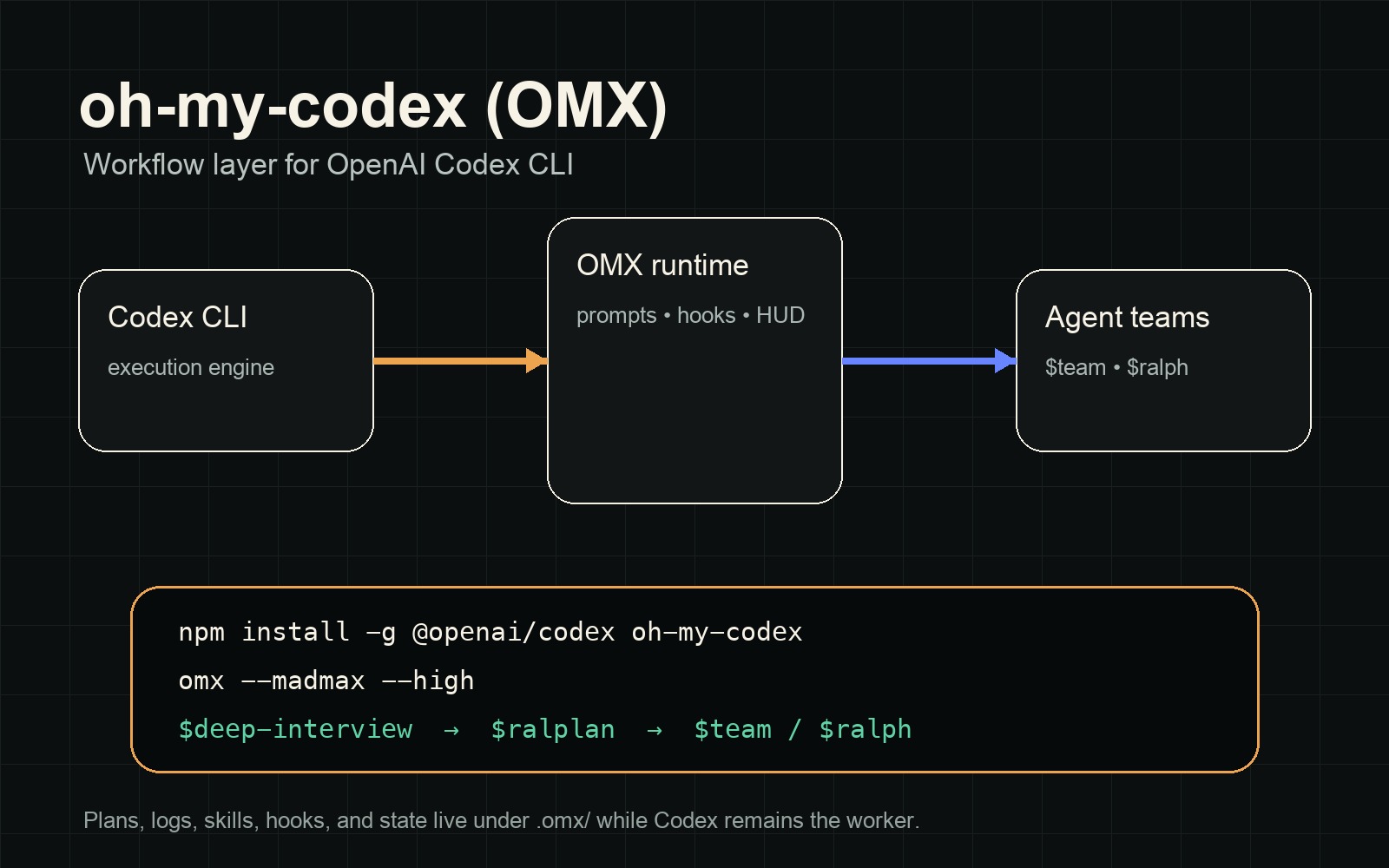
oh-my-codex, also called OMX, is an MIT-licensed workflow layer around OpenAI Codex CLI. It keeps Codex as the execution engine while adding prompts, skills, AGENTS.md scaffolding, native Codex hooks, HUD/status surfaces, logs, memory, plans, and local runtime state under `.omx/`.
It belongs in Open Orchestrators because it turns a single Codex CLI install into a structured operating layer for agent work: clarify scope, approve plans, route work to persistent or parallel executors, preserve project guidance, and coordinate repeatable agent workflows from the terminal.
Builder web analytics
Measure projects built with oh-my-codex
oh-my-codex helps Codex users plan, route, and complete agent work through repeatable workflows. Agent Analytics measures whether the shipped website, docs, onboarding, or product changes from those workflows actually move users.
Install the Agent Analytics skill into the same Codex/OMX working environment and instrument the deployed surface affected by OMX-managed work. Agent Analytics reads product and web events after the change ships; it does not replace OMX plans, logs, hooks, HUD state, or Codex execution traces.
First loop to measure
- an OMX workflow uses `$deep-interview`, `$ralplan`, `$team`, or `$ralph` to plan and ship a website, docs, onboarding, product, demo, or growth change
- the changed surface reports visits, sources, CTA clicks, signup, activation, retention, or task-completion events to Agent Analytics
- a follow-up Codex or OMX session fetches Agent Analytics results after deployment
- the next OMX plan is scoped from measured user outcomes instead of only terminal/task completion
Copyable prompt
Use Agent Analytics for this project. If event reporting is missing, add the tracker and report events for this project surface, including OMX-managed page, docs path, traffic source, CTA click, signup, activation event, retention signal, or shipped experiment. Verify events are arriving. Then fetch the last 7 days and compare them with the prior 7 days. Tell me which OMX-managed page, docs path, traffic source, CTA click, signup, activation event, retention signal, or shipped experiment moved users toward value, where users dropped off, which sources mattered, and what my agent workflow should improve next.