Player profile
Microsoft Agent Framework
Microsoft Agent Framework is an MIT-licensed library for agents and multi-agent workflows in Python and .NET. You connect executors with edges, and you can place agents on those nodes.
Profile
Where it fits
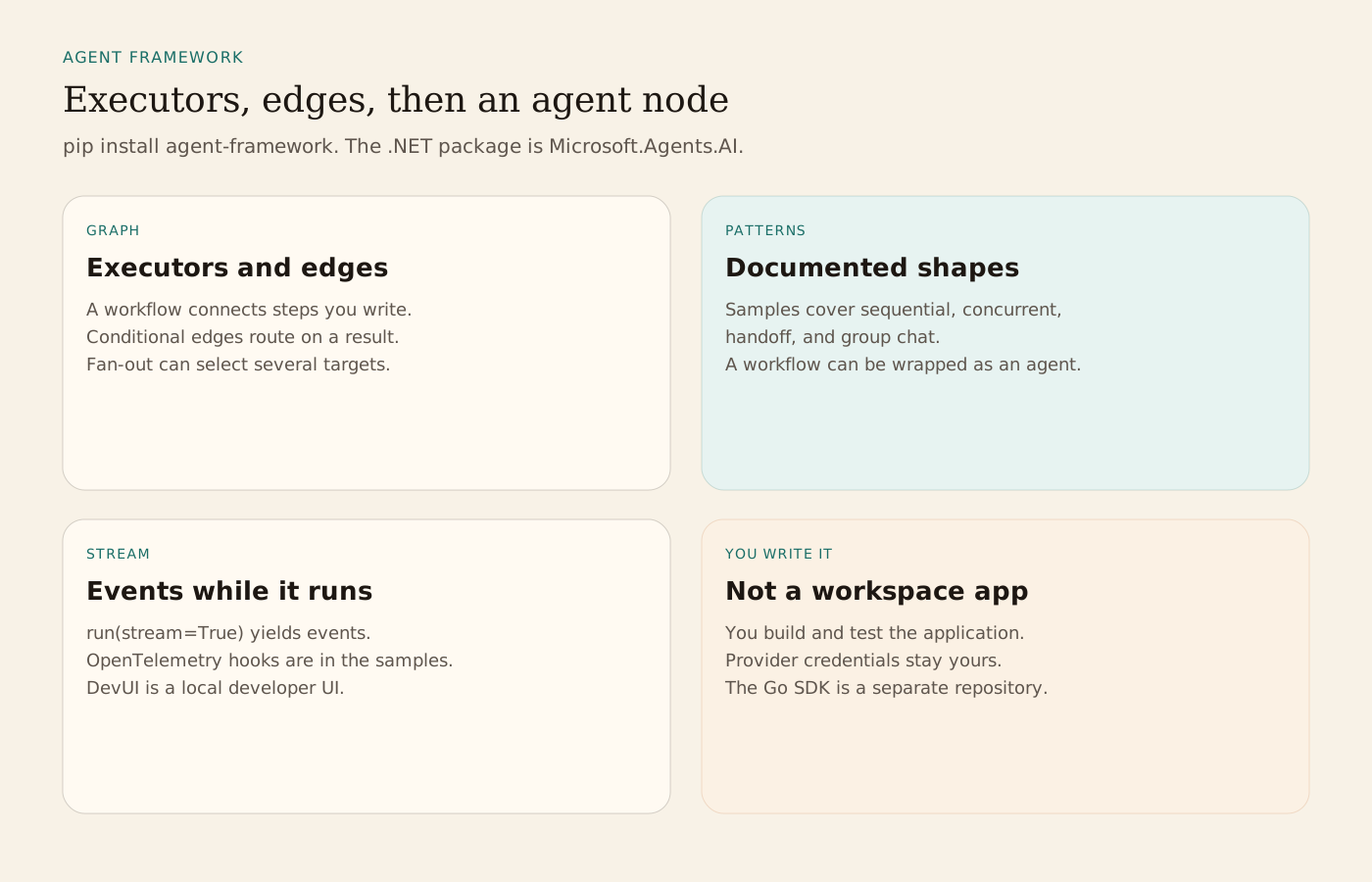
Python installs with pip install agent-framework. That pulls the standard package set. Experimental modules are a separate install of agent-framework-lab. .NET uses the Microsoft.Agents.AI package. Foundry samples also add Microsoft.Agents.AI.Foundry, Azure.AI.Projects, and Azure.Identity. The Go SDK, its samples, and its issues live in microsoft/agent-framework-go, not in this repository. A short Python sample constructs an Agent with FoundryChatClient and AzureCliCredential, then calls run. The .NET quickstart uses AIProjectClient.AsAIAgent. The README says authentication errors with Azure credentials are fixed by az login, and that DefaultAzureCredential is a development convenience rather than the production choice it recommends.
Workflows ship in agent-framework-core. The getting-started samples begin with executors and edges, then agents used as nodes, then streaming. A functional style writes the workflow as async Python functions, with asyncio.gather for a fan-out and a fan-in. Graph samples add conditional edges, switch-case groups, and loops. Documented orchestration shapes include sequential, concurrent, handoff, and group chat. A workflow can be wrapped so it behaves as an agent. Streaming uses run(stream=True) in the functional samples. OpenTelemetry samples record executor input and output without editing the executor. DevUI is the interactive developer UI linked from the README. Graph visualization in the samples needs the graphviz package and a local GraphViz install.
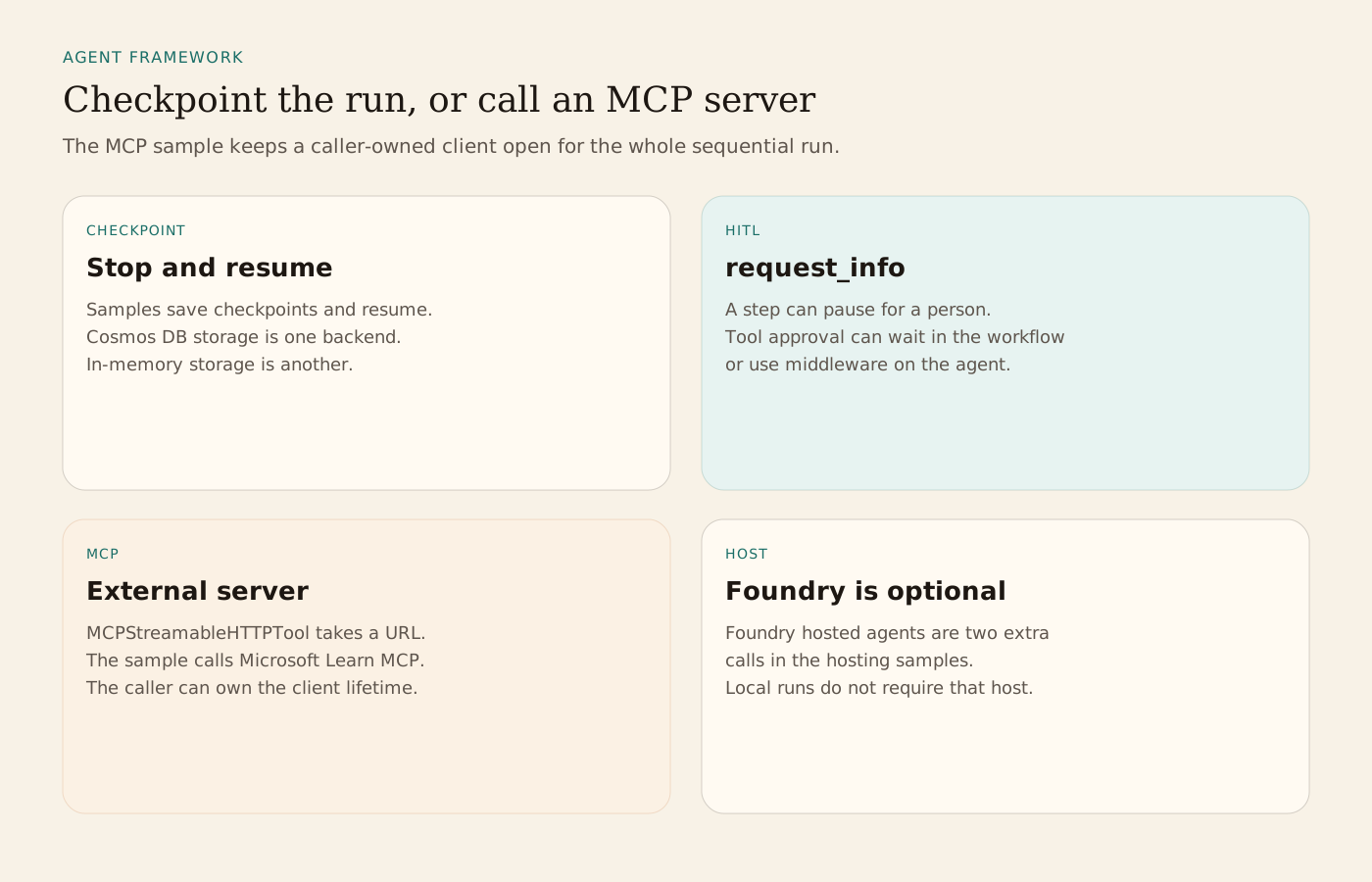
Checkpoint samples save a workflow, inspect the checkpoint, and resume. Human-in-the-loop samples pause with request_info and continue when the person answers. Tool approval can sit in middleware on the agent, or in the workflow when the wait has to be durable. CosmosCheckpointStorage is the sample backend for Azure Cosmos DB. In-process storage is the other sample path. Foundry hosted agents are an optional hosting sample. The README describes them as two additional lines on top of the agent you already built. Local samples do not require that host. A coding-agent skill, agent-framework-builder-python, can be installed from this repository with gh skill install or npx skills add. The README says the @main ref is required until a tagged release includes the skill.
The workflow samples include an MCP client. MCPStreamableHTTPTool connects an agent to an MCP server URL. The caller-owned sample points that tool at the public Microsoft Learn MCP server, passes the client into a sequential workflow, and keeps the client open until the run finishes. The sample says most applications can pass the URL and let the framework manage the connection. That is a client inside the application you write. It is not a hosted team runner. The README's third-party note says you carry the cost and the terms of any server, agent, or non-Azure model you call, and that you add your own safety filters.
From the source
What the public materials show
Builder web analytics
Measure projects built with Microsoft Agent Framework
An application built with this framework can optionally use separately configured product analytics to assess user-facing outcomes.
This is an optional application-level workflow, not a native Microsoft Agent Framework integration. Implement any analytics tool or API calls yourself, configure authentication separately, and keep product events distinct from execution traces and workflow checkpoints.
First loop to measure
- developers build and test a multi-agent application
- the deployed product is separately instrumented with meaningful events
- an application tool or external agent with separately configured access queries outcomes
- developers use the evidence to choose the next application change
How to install Agent Analytics on Microsoft Agent Framework
Use Agent Analytics for this project. If event reporting is missing, add the tracker and report events for this project surface, including application task completion, signup, activation event, or funnel step. Verify events are arriving. Then fetch the last 7 days and compare them with the prior 7 days. Tell me which application task completion, signup, activation event, or funnel step moved users toward value, where users dropped off, which sources mattered, and what my agent workflow should improve next.