
Player profile
Herdr
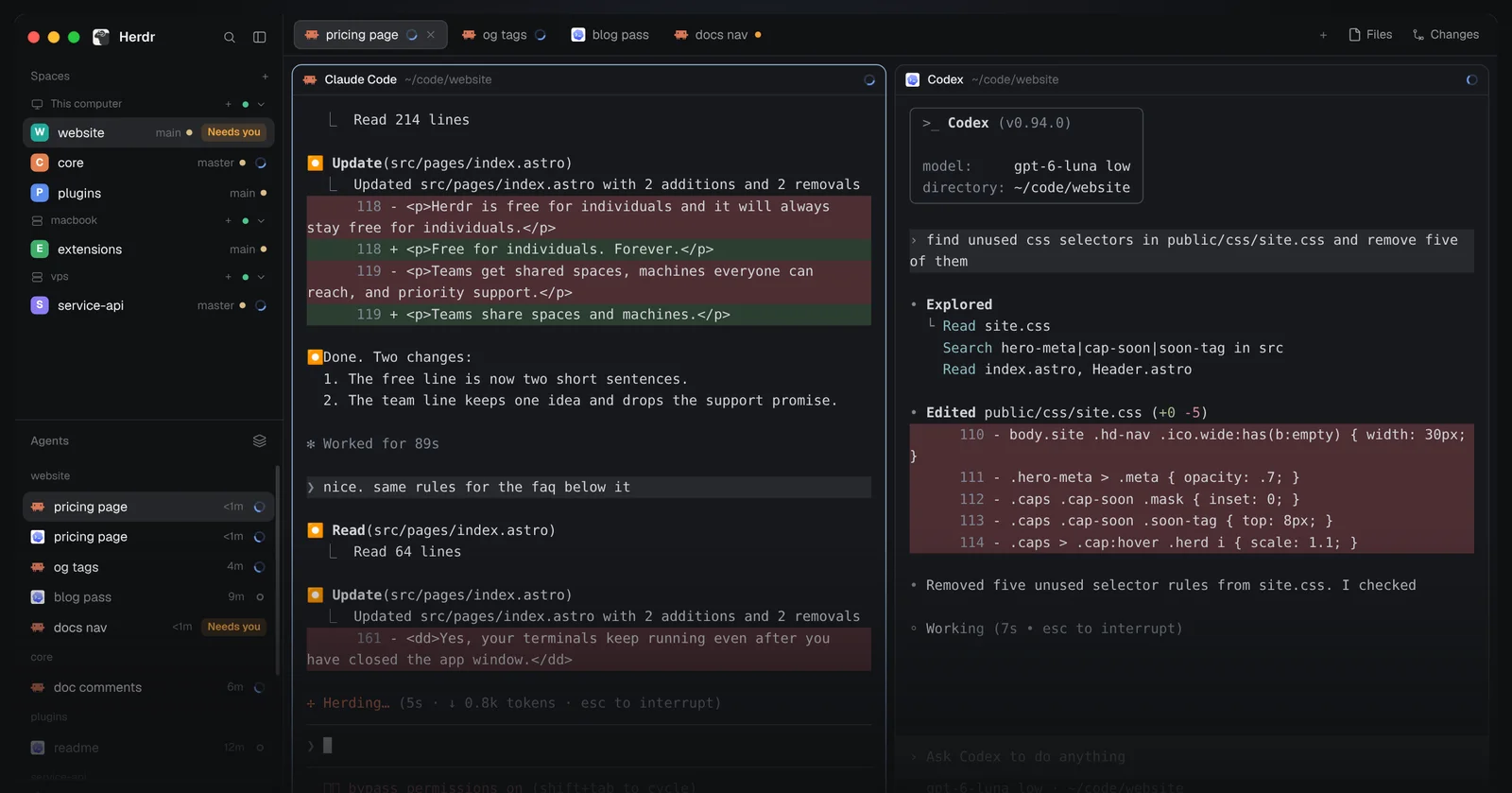
An Apache-2.0 desktop app, terminal UI and runtime where Claude Code, Codex, OpenCode and other coding-agent CLIs run as real terminals that keep running after the window closes.
Profile
Where it fits
The Herdr app is a native desktop app for macOS (Apple silicon), Linux (x86_64 and arm64) and Windows (x86_64). Its terminals run in herdr-core, a small server on the machine, so quitting, updating or crashing the window leaves them running. Herdr TUI is the original Herdr: a single Rust binary that runs in an existing terminal, with its own server and tmux-style prefix keys. All three repos are Apache-2.0.
herdr-core, the hc command, lets agents run agents. An agent starts a helper with hc run --bg, changes its task with hc send, reads its output with hc read and waits with hc wait --children all. Helpers started inside an hc terminal become its children, report back into the parent's input and end with the parent unless started with --outlive-parent.
Status comes from the program. Agents that support OSC 7501, the open Program Status Protocol, report working, done, blocked or error, and the app sidebar shows which agent needs you. herdr-core does not guess from screen text; an agent without OSC 7501 still runs, without a status.
SSH machines join the same sidebar with hc machine add. Their programs and files stay on that machine and keep running while the laptop sleeps, as long as the remote machine and core stay up. The app keeps its layouts, keys, themes and JavaScript mods as plain files in ~/.config/herdr-app with an AGENTS.md, so an agent can change the window itself.
Limits: after a reboot or a core crash, the app brings panes back as fresh shells in their last folders and does not restart agents or resume their work. Mods are trusted code, not sandboxed extensions. Usage telemetry is on by default in app releases and can be turned off in Settings. The herdr-app repo was created on October 16, 2026 and released v0.1.10 on October 30, 2026; Herdr TUI v0.9.5 shipped on October 14, 2026.
Builder web analytics
Measure outcomes from Herdr-run agent work
Herdr keeps coding agents running and shows which one needs you. Separately configured product analytics can show the observed user-facing results of a change those agents helped ship.
This is an optional measurement workflow, not a native Herdr integration with Agent Analytics. Configure product tracking and authorized analytics access separately; the listing does not install tracking or report Herdr agent status or telemetry.
First loop to measure
- a developer runs coding agents and their helpers in Herdr to prepare a product change
- the reviewed change is deployed to a separately instrumented project
- a human or an authorized agent reads observed product outcomes
- the developer uses that evidence to choose the next task
Copyable prompt
If product tracking and analytics access are already configured, inspect the deployed change over an appropriate observation window. Report measured outcomes, missing evidence and limitations. Do not infer causation from before-and-after movement or treat agent status or terminal activity as product usage.